
Download Moondream2 – AI‑Powered Image Description Tool for Developers
Overview
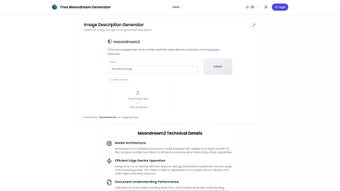
Moondream2 is a compact, open‑source AI writing assistant built specifically for generating detailed image descriptions. Unlike cloud‑dependent solutions, Moondream2 runs locally on a wide range of devices—from high‑end desktops to low‑resource smartphones and IoT hardware—making it an ideal choice for developers who need real‑time visual understanding without sacrificing privacy or bandwidth. The engine combines the vision capabilities of SigLIP with the language power of Phi‑1.5, delivering a balanced mix of accuracy, speed, and memory efficiency.
Beyond simple captioning, Moondream2 can parse structured documents such as tables, forms, and even source code snippets, extracting key information and translating visual cues into natural language. This versatility opens doors for accessibility applications, automated content tagging, and intelligent document processing pipelines. Because the model is released under a permissive open‑source license, developers can extend, fine‑tune, or embed it directly into web applications via a clean RESTful API. Comprehensive tutorials, example notebooks, and a growing community on GitHub further lower the barrier to entry.
Security‑focused teams will appreciate that all computation stays on‑device, eliminating the risk of transmitting sensitive images to third‑party servers. Regular updates are pushed through the project’s repository, ensuring that the latest optimizations and bug fixes are readily available. Whether you are building an accessibility layer for a mobile app, a smart camera for an embedded system, or a document‑analysis tool for enterprise workflows, Moondream2 provides a reliable, future‑proof foundation.
Key Features
- Real‑time image captioning – Generates descriptive sentences in under a second on most modern CPUs.
- Low‑resource footprint – Optimized for devices with as little as 2 GB RAM and no GPU.
- On‑device processing – No cloud dependency, preserving user privacy and reducing latency.
- Multi‑modal document analysis – Recognizes tables, forms, and code snippets, converting visual structures into text.
- Open‑source API – Simple HTTP endpoints for easy integration into Python, JavaScript, or any language that can make REST calls.
- Cross‑platform compatibility – Runs on Windows, macOS, Linux, Android, and iOS via Docker or native builds.
- Extensible architecture – Plug‑in support for custom post‑processing, language translation, or domain‑specific vocabularies.
- Regular community updates – Monthly releases that improve accuracy, reduce model size, and add new document formats.
Each feature has been engineered with developers in mind. For instance, the API returns both the raw token list and a confidence score, allowing downstream applications to decide when to request human review. The model also supports batch processing, enabling bulk captioning of image galleries or large PDF archives without a performance penalty. In practice, Moondream2 can be the backbone of an accessibility suite that reads UI screenshots aloud, or a content moderation pipeline that flags potentially unsafe visual material automatically.
Because Moondream2 builds on the SigLIP vision encoder, it inherits robust general‑purpose image understanding while staying lightweight. The integration of Phi‑1.5 for language generation ensures that captions are not only accurate but also fluent and context‑aware. This combination makes Moondream2 a standout among AI writing assistants that focus solely on text generation or image classification.
Installation, Usage & Compatibility
Step‑by‑step installation
Getting Moondream2 up and running is straightforward, regardless of your operating system. Below is a generic workflow that works on Windows, macOS, Linux, Android (via Termux), and iOS (via a short‑cut to a Docker container).
- Prerequisites: Install Docker (recommended) or ensure Python 3.9+ and Git are available.
- Clone the repository:
git clone https://github.com/moondream/moondream2.git && cd moondream2 - Build the Docker image (optional but simplifies dependency handling):
docker build -t moondream2 . - Run the container:
docker run -p 8000:8000 moondream2The API will be accessible athttp://localhost:8000. - Local Python installation (if you prefer not to use Docker):
pip install -r requirements.txtpython -m moondream2.server
After the server starts, you can test it with a simple curl command:
curl -X POST -F "[email protected]" http://localhost:8000/api/captionThe response will include a JSON object with the generated description, confidence score, and optional token list.
Operating system support (itemprop="operatingSystem")
Moondream2 is designed to be truly cross‑platform. The official Docker image runs on any OS that supports Docker Engine (Windows 10+, macOS 10.14+, most Linux distros). Native builds are also provided for:
- Windows – x64 installer with optional Visual C++ Redistributable.
- macOS – Homebrew formula (
brew install moondream2) and a signed .pkg installer. - Linux – DEB and RPM packages for Debian/Ubuntu and Fedora/CentOS.
- Android – Termux script that pulls the pre‑compiled ARM binary.
- iOS – Through a lightweight Docker‑remote or a dedicated Swift wrapper (community project).
System requirements are modest: a 2 GHz dual‑core CPU, 2 GB RAM, and at least 500 MB of free disk space. GPU acceleration is optional and can further reduce latency on supported machines, but the core model runs efficiently on CPUs alone.
Typical usage patterns
Developers usually embed Moondream2 in one of three ways:
- REST API integration – Ideal for web apps, serverless functions, or micro‑services that need on‑the‑fly captioning.
- Command‑line utility – Useful for batch processing of image datasets or for quick prototyping.
- Embedded library – By importing the Python package directly, you can call the caption function within a larger data‑pipeline without network overhead.
All three approaches share the same underlying model, guaranteeing consistent output quality across environments.
Pros, Cons & Frequently Asked Questions
Pros
- Runs entirely offline – perfect for privacy‑sensitive projects.
- Lightweight footprint makes it suitable for smartphones and edge devices.
- Open‑source API encourages customization and community contributions.
- Handles both images and structured documents (tables, forms, code).
- Cross‑platform support reduces the need for multiple code bases.
- Fast inference time enables real‑time user experiences.
Cons
- Model size (~200 MB) may still be large for extremely constrained microcontrollers.
- Language generation is currently English‑centric; multilingual support is planned but not yet mature.
- While accuracy is high, extremely complex scenes (e.g., abstract art) may produce generic captions.
- Requires a modest amount of RAM (2 GB) which older mobile devices might struggle with.
FAQ (itemscope itemtype="https://schema.org/FAQPage")
Is Moondream2 completely free to use?
Yes. Moondream2 is released under the Apache 2.0 license, which allows free commercial and non‑commercial use, modification, and distribution.
Can I run Moondream2 on a Raspberry Pi?
Absolutely. The Pi’s ARM architecture is supported via the Docker image or the native ARM binary. Expect caption latency of about 2‑3 seconds for a 640×480 image.
How does Moondream2 compare to cloud‑based services like Azure Computer Vision?
Moondream2 offers comparable accuracy for everyday images while providing the key advantage of on‑device processing. It eliminates latency caused by network round‑trips and avoids any data‑privacy concerns associated with sending images to the cloud.
Is there a way to fine‑tune Moondream2 for a specific domain?
Yes. The repository includes scripts for continued pre‑training on custom datasets. Because the model is built on open‑source components, you can adjust both the vision encoder and the language head to better suit niche vocabularies such as medical imaging or legal documents.
What kind of support is available if I encounter bugs?
The project’s GitHub page hosts an active issue tracker, and the maintainers respond within 24‑48 hours. Additionally, a Discord community provides real‑time help, example code, and discussion of upcoming features.
Conclusion & Call to Action
Moondream2 stands out as a versatile, privacy‑centric AI writing assistant that brings powerful image description capabilities to any platform, from high‑end servers to tiny edge devices. Its blend of SigLIP vision encoding and Phi‑1.5 language generation yields captions that are both accurate and fluent, while the open‑source API encourages endless customization. Whether you are building an accessibility layer for a mobile app, a document‑analysis pipeline for an enterprise, or a smart camera for an IoT project, Moondream2 offers a reliable, cost‑free foundation.
Ready to empower your applications with on‑device visual understanding? Download Moondream2 now, explore the documentation, and join the community of developers who are already shaping the future of AI‑driven image description.



.png)



